IRS Notice Response Packages
See how an IRS notice response package keeps your draft letter, forms, review version, and partner handoff together before anything goes to the IRS.
Last updated 2026-06-24
An IRS notice response package in TaxNotice.ai is the working bundle your firm prepares before it answers the IRS. It brings the response letter, any supported IRS forms, the key case facts, and the review handoff into one place so the work stays controlled and visible.
AI assists; your firm decides
TaxNotice.ai can load approved templates, carry verified case facts into the draft, and keep the package organized for review. Your firm still chooses the response shape, writes or edits the position, and approves what goes out.
What a response package contains
A response package can be a Template Letter, a PDF Form, or Template Letter + PDF Form. The right mix depends on the notice and your firm's judgment.
In practice, the package ties together:
- the draft letter or selected IRS forms
- the case facts the package depends on, such as the notice code, tax year, amount, and response deadline
- the preparer's additions, including facts summaries, supporting-document notes, and the review note to the partner
- the assigned reviewing partner and the version that was submitted for review
That matters because a response package is more than a document. It's the reviewable record of what your firm plans to send, why it was prepared that way, and which version the partner is being asked to approve.
How It Works in TaxNotice.ai
You manage the package from the Drafts tab in the case workspace. When no version exists yet, the tab shows Start Drafting. Once work begins, the same area shows the response shape, the draft letter or selected forms, a Package Preview, Version History, and the submitted version waiting on partner review.
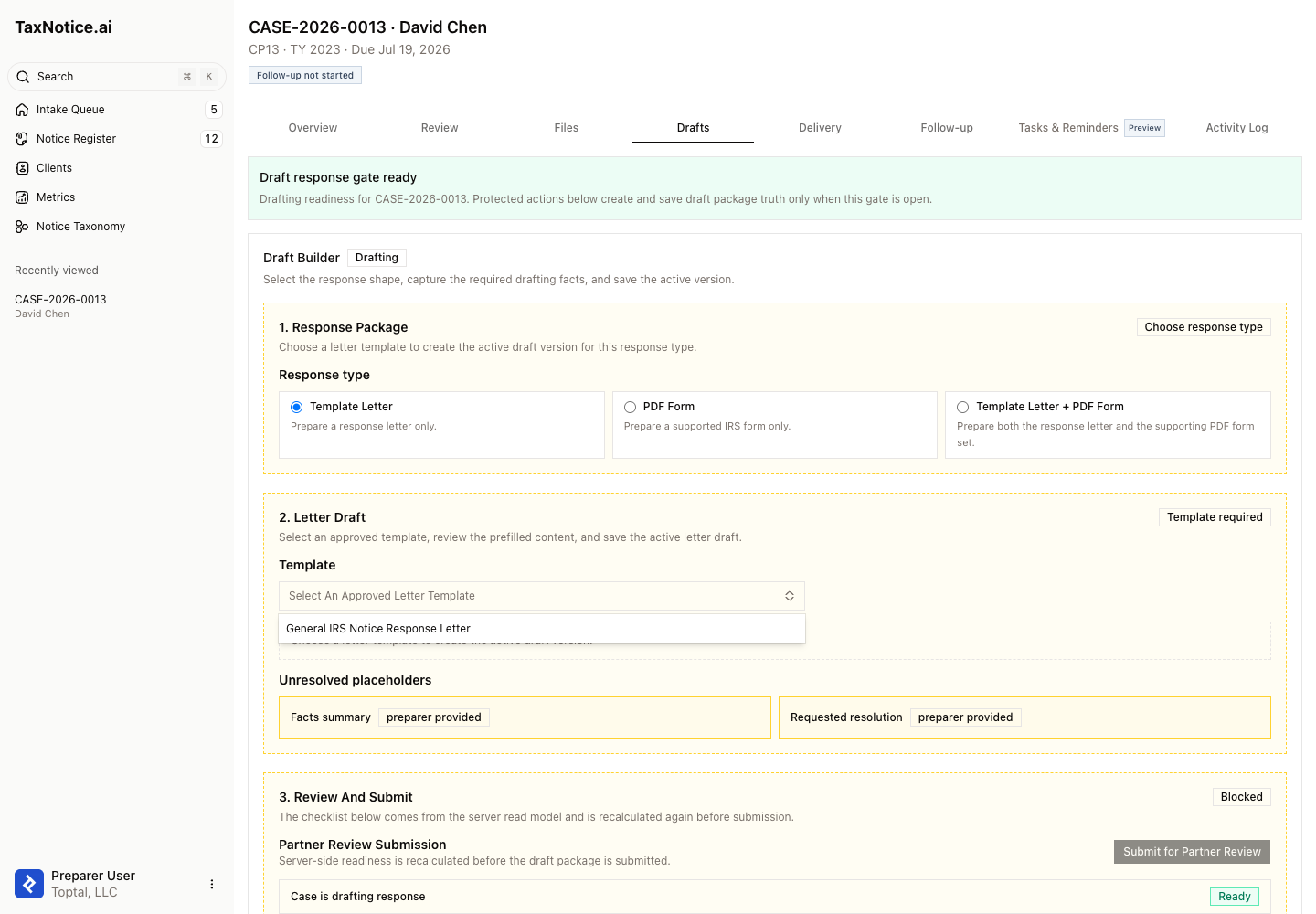
TaxNotice.ai also keeps the package grounded in the case itself. You can see the client, notice, tax year, deadline, selected template or form, and current review state without leaving the case. The system can load approved templates, carry verified case facts into the draft, and flag missing required information before submission. It doesn't choose the tax position, and it doesn't decide which response your firm should take.
Versions, Review, and Approval
Response packages move through clear versions. A preparer works in an editable draft version, then submits that version for partner review. Once submitted, the package becomes read-only for that review cycle so the partner sees the exact letter and forms that were handed off.
That review step is the control point. The partner can review the package, comment, and approve it or send it back for revision. TaxNotice.ai keeps the package history attached to the case, but it does not automatically file a response or make the approval decision on the firm's behalf.
Related
See your draft process in one place
Request founding firm access to see how TaxNotice.ai keeps drafting, review, and handoff tied to the case.